

Turn on call blocking
How to turn on HARD’s call blocking on iPhone, step by step. Known scam numbers can’t ring you, and HARD never sees who calls you.
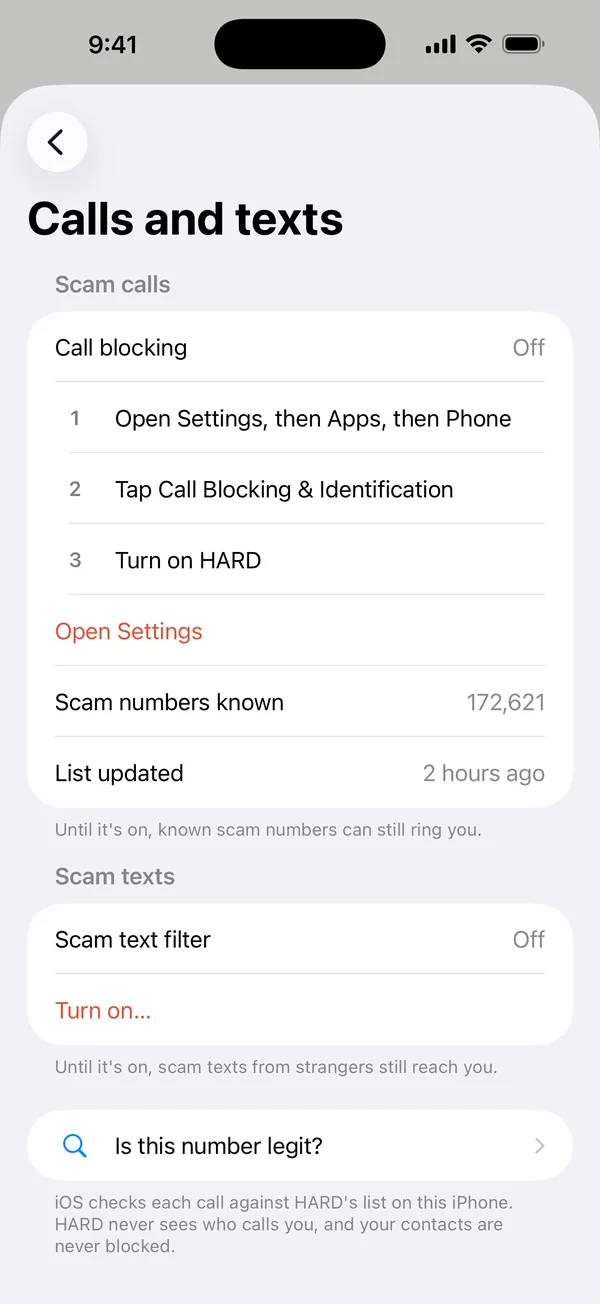
- In HARD, tap Settings → Call blocking, then Open Settings.
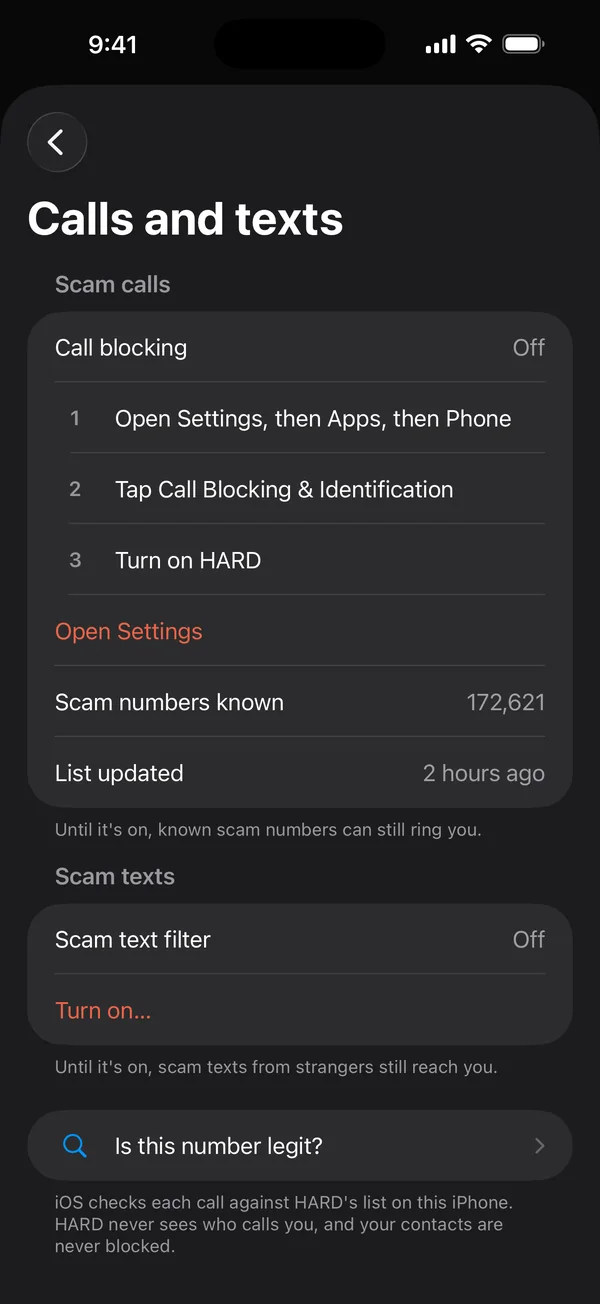
- In the iPhone’s Settings, go to Apps → Phone → Call Blocking & Identification and turn on HARD.
How it works
Known scam numbers can’t ring you, and others get a warning. iOS checks each call against HARD’s list on the phone, so HARD never sees who calls you. Your contacts are never blocked.
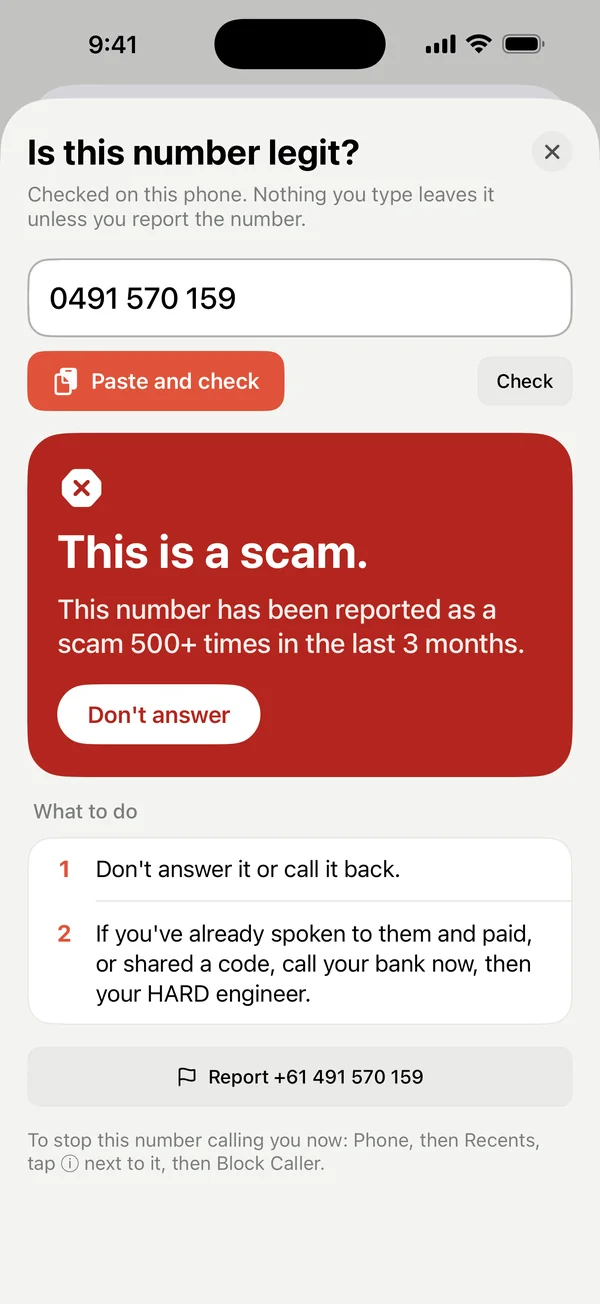
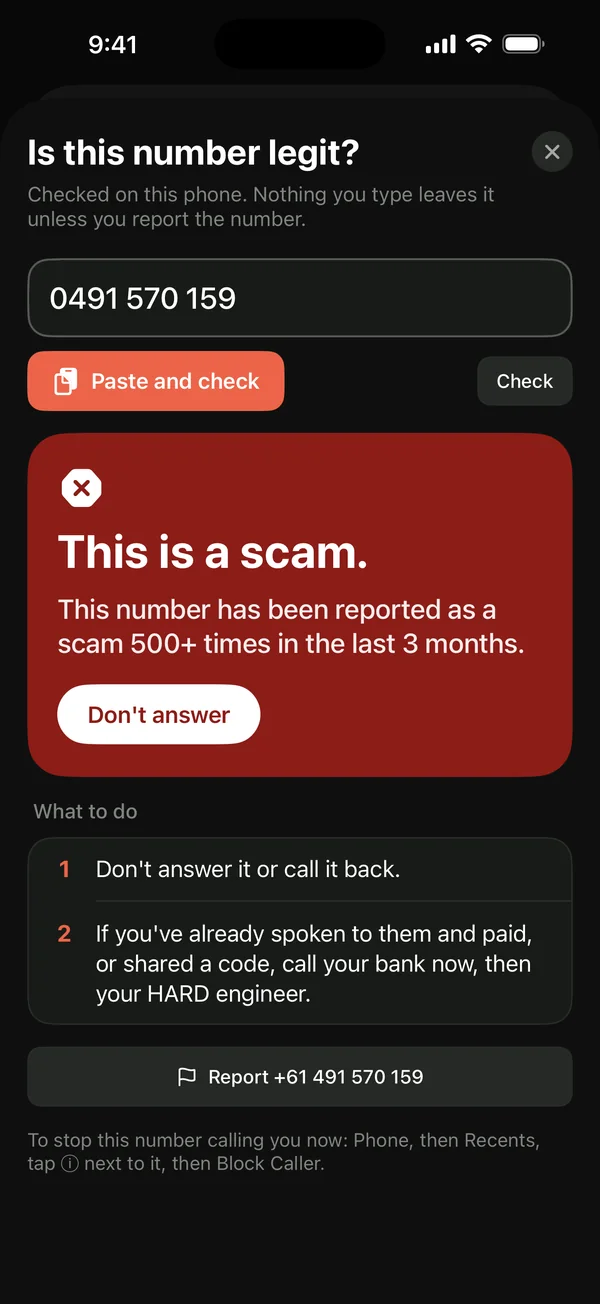
Settings → Calls and texts shows how many scam numbers HARD knows and when the list was updated. Is this number legit? checks a number, or reports one.
Questions
Someone is on the phone right now. What do I do?
If they want money moved, a code read out, or your screen shared: hang up, and call the number on the back of your card or the organisation’s own website. Then open Is this legit?, choose the call option and answer the yes-or-no questions. HARD tells you what it thinks and what to do.
Still stuck? Write to support, and tell us what you’ve tried.