

The browser extension
HARD’s extension for Chrome and Brave stops lookalike and phishing sites, copied sign-in pages and rushed payments. What it does, and its panel.
The HARD extension works in Chrome and Brave on your Mac.
Early access The extension is in Google’s review for the Chrome Web Store. Until it’s listed, your early access email has how to add it, and its page will link to the store. Once it’s added, pin it to the toolbar so you can open its panel.
What it does
- Lookalikes
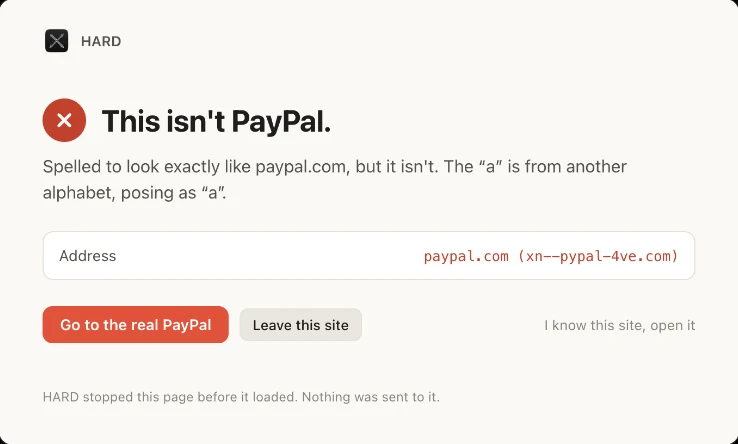
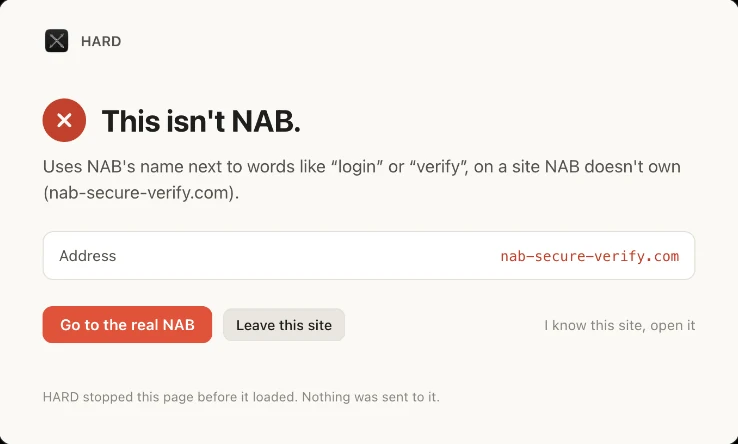
- Stops addresses like g00gle.com, letters from other alphabets, and brand names wearing someone else’s domain, before the page loads.
- Reported phishing
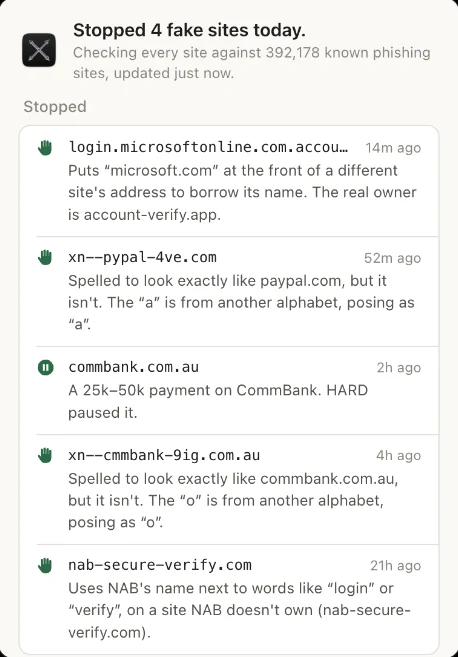
- More than 392,000 sites, refreshed every 12 hours.
- New domains
- Blocks a suspicious address registered in the last 60 days.
- Copied sign-in pages
- A Google or Microsoft sign-in form on a domain the brand doesn’t own. A “Sign in with Google” button is not a copy.
- Password alert
- If your Google, Microsoft, Apple or similar password is typed on the wrong site, HARD clears it and stops the form.
- Payment pause
- On banks, payment apps and crypto exchanges, a payment at or over your threshold, a new payee, a crypto address or a withdrawal waits while HARD asks the questions scammers hope you won’t. Wait 10 minutes, don’t send it, or continue.
- Remote-control warning
- If AnyDesk, TeamViewer, Quick Assist or similar is open beside your bank, the pause always runs its full 10 minutes.
- Password-only sign-ins
- After two sign-ins with no code, approval or passkey, a small card suggests turning on 2-step verification.
- Extension audit
- Known-malicious extensions, sideloads, updates from outside the store, and risky permissions.
The panel
Click HARD in the toolbar to see this site’s verdict, your extensions, what was stopped, and the payment pause. Set Pause payments of to the amount you want (2,000 by default, in whatever currency the site uses). On a site HARD doesn’t know as a bank, choose This is my bank: watch payments here.
With HARD for Mac
Open HARD for Mac once and the extension’s warnings appear in HARD’s activity on the Mac. It sends only the site’s name, HARD’s own wording, a rough size range for a paused payment, and what you chose. Never what you typed, the amount, a payee, an account number or the page.
Every version
Every version of the extension lists each one with its notes, and the zip’s fingerprint and download, so you can check the copy you have. A copy from a browser store is checked by its version, at chrome://extensions.
Questions
What does the extension do?
It stops lookalike addresses and known phishing sites before they load, blocks suspicious addresses registered in the last 60 days, spots copied sign-in pages, clears your Google, Microsoft or Apple password if you type it on the wrong site, pauses big payments, new payees and crypto withdrawals, warns when a remote-control tool is open beside your bank, and checks every extension you’ve installed.
How do I connect it to HARD for Mac?
Open HARD for Mac once. It registers itself with Chrome and Brave, and the extension’s warnings then show up in HARD’s activity on the Mac.
Why did it pause my payment?
On a bank, payment app or crypto exchange, HARD pauses a payment at or over your threshold (2,000 by default, in whatever currency the site uses), a new payee, a crypto address or a withdrawal, and asks the questions scammers hope you won’t. You can wait 10 minutes, cancel, or continue. If a remote-control tool is open, the 10 minutes always run. Change the threshold, or mark a site as your bank, from the extension’s panel.
Does the extension know my passwords?
No. When you sign in on the real Google, Microsoft, Apple or similar site, it keeps a salted one-way hash of the password, so it can recognise it being typed somewhere else. The password itself is never stored or sent.
Where is it in the Chrome Web Store?
It’s in Google’s review, which usually takes a week or two. Until it’s listed, it comes with your early access invitation. The extension’s page has the store link once it’s live, and how to check a copy is really HARD.
Still stuck? Write to support, and tell us what you’ve tried.