

Checks and updates
When HARD checks your Mac, and what it looks at: security settings, missing updates, app signatures, background items, extensions and network.
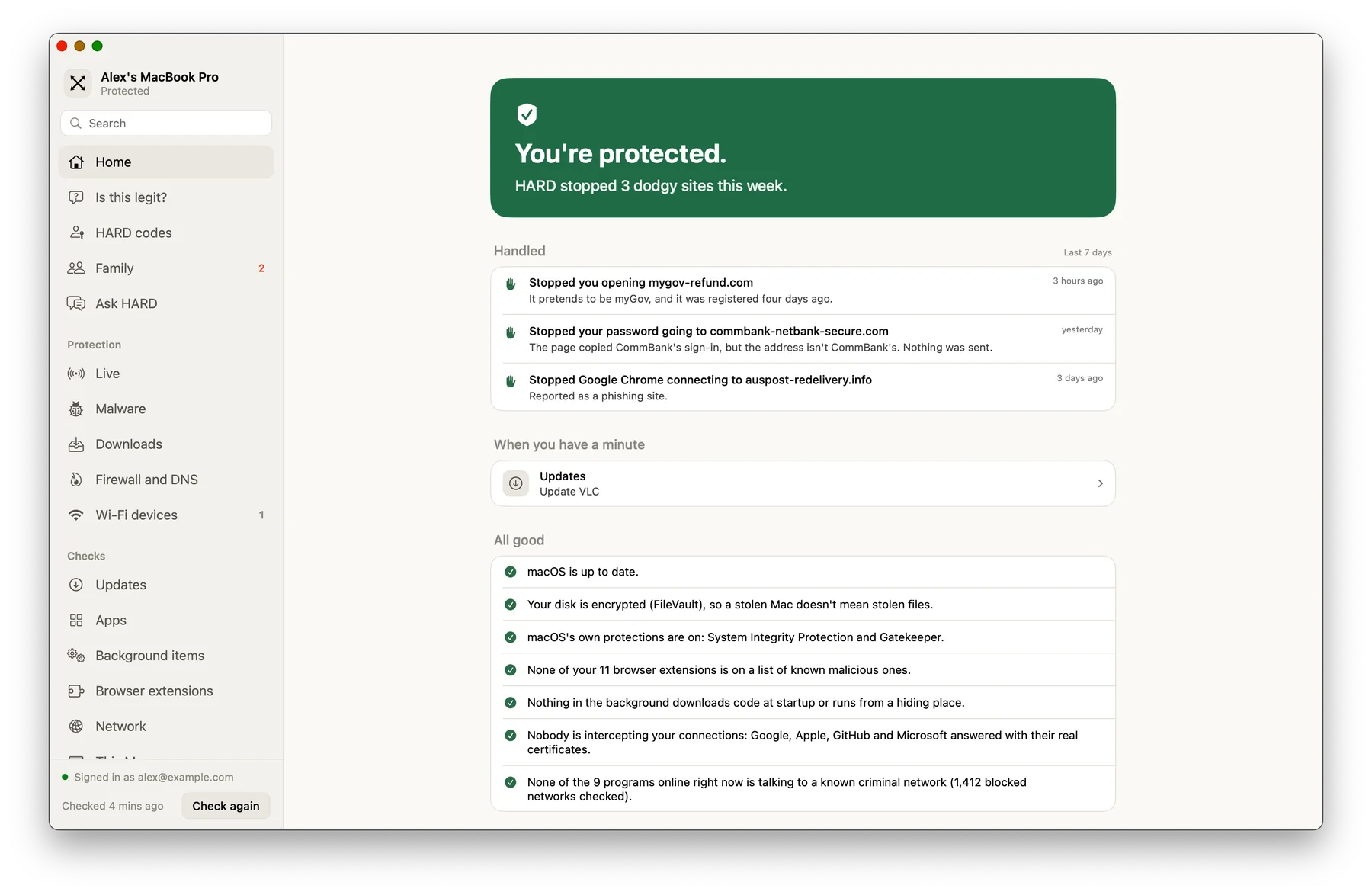
HARD checks your Mac when it opens, every 30 minutes, whenever the network changes, and when something new lands in Applications or the folders where programs set themselves to run in the background. The first check learns what’s normal; after that, anything new is reported as a change.
What it looks at
- This Mac
- FileVault, System Integrity Protection, Gatekeeper, the built-in firewall, automatic security responses, screen lock and device management.
- Updates
- macOS against Apple’s feed, Chrome-family browsers against Google’s releases, and apps against NVD and CISA’s list of flaws being used in attacks. Each warning links to a plain-English advisory.
- Apps
- Signatures, notarisation and tampering, and an alert when an update changes who signed an app.
- Background items
- Launch agents and daemons, system extensions and anything new.
- Browser extensions
- Every Chromium browser and profile on the Mac.
- Network
- Extra trusted certificates, a live test for someone intercepting your connections, proxies, DNS servers and open Wi-Fi.
Without an administrator account, HARD can’t see other users’ programs. Those show as unknown, never as unsigned.
Questions
How often does HARD check my Mac?
When it opens, every 30 minutes, whenever the network changes, and when something new lands in Applications or the folders where programs set themselves to run in the background.
Still stuck? Write to support, and tell us what you’ve tried.